
ELD positions on the operations map
Supported ELD connections bring vehicle positions into fleet visibility. Reporting timestamps matter: review freshness alongside available vehicle and load context.
Explore fleet visibility →Carrier TMS / The business behind the fleet
Run customer orders, load planning, equipment, drivers and financial review through one operating cycle. Your load board is one source of work. Your TMS runs the company that moves it.
One operating cycle / Six connected steps
Select a step to see the decisions, records and handoff involved. Actual carrier screens show the workspaces behind the process.
01 / Receive freight
Start with direct customer orders, brokered freight or configured EDI tenders. Review the movement details before the order enters load planning.
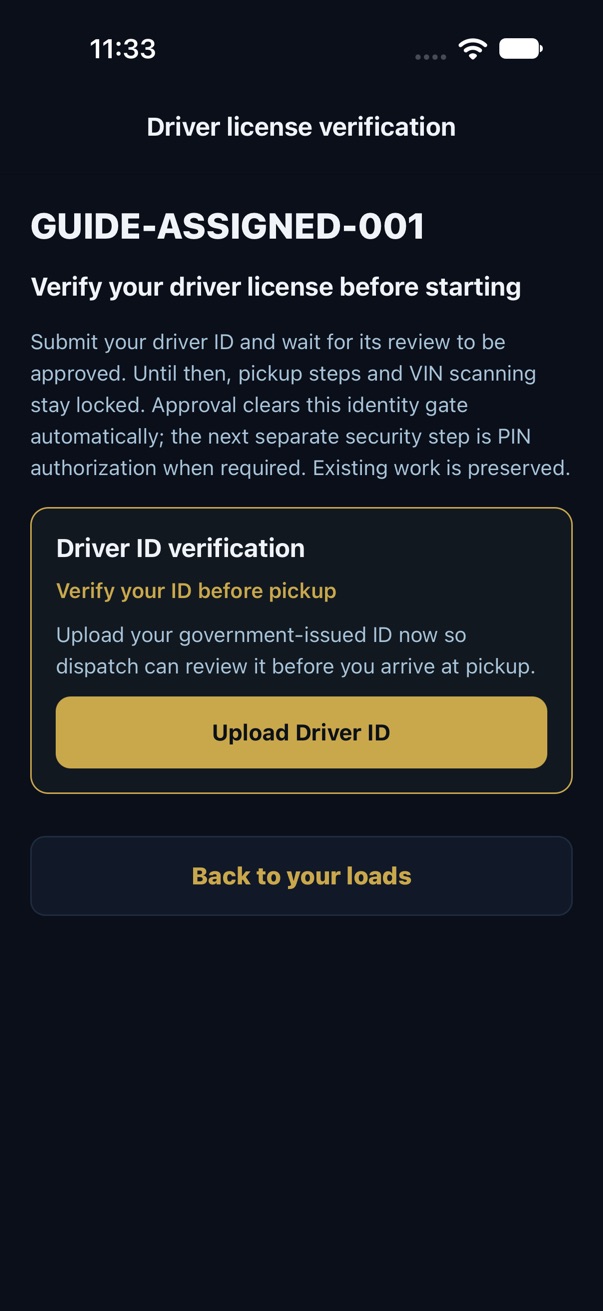
The driver’s app / Before pickup
Drivers submit their government-issued ID through Upload Driver ID. Your dispatcher reviews the document and approves the identity. Pickup PIN authorization is a separate decision for the assigned load.
Connected to the way your fleet works
Supported ELD connections bring vehicle positions into fleet visibility. Reporting timestamps matter: review freshness alongside available vehicle and load context.
Explore fleet visibility →Review partner-specific tender and shipment-status workflows. Connection scope, transaction mapping, credentials and partner acceptance are part of setup.
Explore in-house EDI →Customer invoices, company expenses and driver settlements answer different financial questions. Keep each tied to its supporting operational records.
Explore accounting →Make the demo match your company
Bring your fleet size, ELD provider, OEM requirements and a driver pay example. Review the workflow, data and setup your team needs.